
- 15/07/2026
- Govind S. Jethani
- 654 Views
- 2 Likes
- Startup Funding
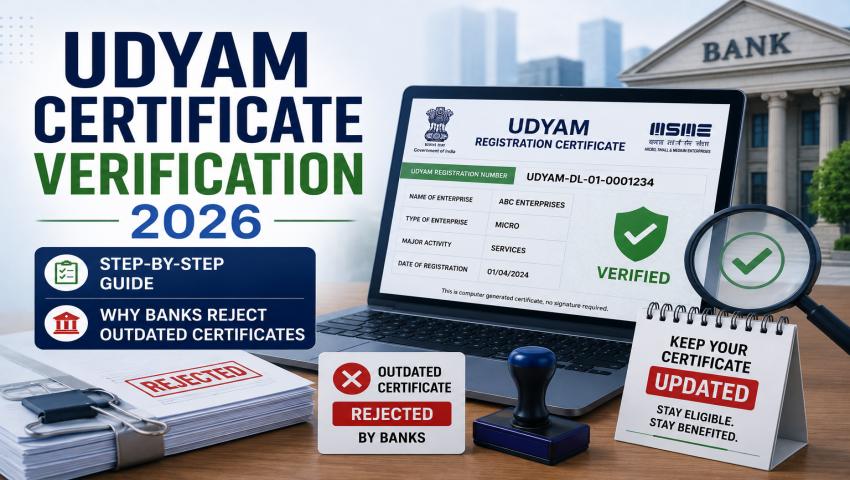
Udyam Certificate Verification 2026: Step-by-Step Guide and Why Banks Reject Outdated Certificates?
If you run an MSME in India, you’ve probably heard this before: “Please share your latest Udyam certificate.” But in 2026, simply having a certificate is not enough. Banks, government tender portals, and even large buyers are now verifying whether your Udyam certificate is genuinely active, updated, and consistent with your GST and ITR records, before they approve a loan, empanel you as a vendor, or process a payment.
If your certificate is outdated or doesn’t match your latest financials, it can be rejected on the spot, even if your business is perfectly legitimate. This guide by My Finance Gyan walks you through exactly how Udyam certificate verification works in 2026, and why banks are rejecting so many outdated certificates.
If you’re a business owner exploring Udyam registration in Pune, or need help with related GST registration in Pune or ITR e-filing in Pune, this post will also help you understand how all three are now connected.
What Is Udyam Certificate Verification?
Many business owners confuse three related but different things:
- Udyam Registration: The one-time process of registering your business on the government’s Udyam portal to get recognised as an MSME.
- Udyam Certificate: The official document (with your Udyam Registration Number, or URN, and a QR code) that you receive once registration is approved.
- Udyam Verification: The process of checking, on the official portal, whether a given Udyam certificate/URN is genuine, active, and reflects the correct classification and business details.
Verification matters because a certificate can look real but still be outdated, cancelled, or based on old financial data. Where is verification typically required?
- Bank and NBFC loan applications, especially collateral-free MSME loans
- Government e-marketplace (GeM) vendor registration
- Government tenders and public procurement
- Subsidy and scheme applications (CGTMSE, PMEGP, CLCSS, etc.)
- Due diligence by large buyers before onboarding an MSME as a supplier
Why Udyam Verification Matters More in 2026?
A few developments have made verification far more important this year than before.
- Revised MSME classification limits: Under the Union Budget 2025-26 announcements, the government significantly increased MSME classification thresholds, roughly 2.5 times higher investment limits and around double the turnover limits compared to earlier norms. This means many businesses have shifted categories (Micro, Small, or Medium), and certificates issued before this revision may no longer reflect the correct classification.
- Deeper digital cross-checks: The Udyam portal is now tightly integrated with PAN, GST, and Income Tax data. Your investment and turnover figures are auto-fetched and verified against your actual filings, rather than relying purely on self-declaration. If your GST or ITR filings are delayed, incomplete, or inconsistent, your Udyam classification can become inaccurate without you even realising it.
- Stricter bank compliance: Banks and NBFCs, guided by RBI norms for priority sector lending, now rely heavily on the classification shown on your Udyam certificate. Since lending benefits, interest subvention, and collateral-free loan limits depend on this classification, banks have become far more cautious about accepting certificates that appear stale or inconsistent with current data.
Step-by-Step Guide: How to Verify an Udyam Certificate Online?
Here’s how you (or a bank/buyer) can verify a Udyam certificate directly on the official government portal:
Step 1
Visit the official Udyam portal:
Go to the official website, udyamregistration.gov.in. Always double-check the URL, several lookalike private websites charge a fee for a “service” that is actually free on the government portal.
Step 2
Use the "Print/Verify Udyam Certificate" option:
On the homepage, look for the option to verify or print an existing Udyam certificate, rather than the new registration option.
Step 3
Enter the Udyam Registration Number (URN) and linked mobile number:
You’ll need the 12-digit URN (in the format UDYAM-XX-00-1234567) along with the Aadhaar-linked mobile number used at the time of registration.
Step 4
Complete OTP verification:
An OTP is sent to the registered mobile number. Enter it to proceed.
Step 5
Cross-check business name, category, and validity status:
Go to the official website, udyamregistration.gov.in. Always double-check the URL, several lookalike private websites charge a fee for a “service” that is actually free on the government portal.
Step 6
Download the verification confirmation:
You can download the certificate as a PDF, complete with the QR code, which banks and government agencies can independently scan and verify.
Common Reasons Banks Reject Outdated or Invalid Udyam Certificates:
Even when a certificate is technically genuine, banks often reject it for the following reasons:
- Certificate not updated after turnover/investment threshold changes Since classification limits were revised in 2025, many businesses that should now fall into a different category (say, moved from Small to Micro under the new limits) are still showing old classifications, because they never logged back in to refresh their data.
- Mismatch between Udyam data and latest GST/ITR filings Since turnover figures are meant to be auto-fetched from your latest filed Income Tax Return and GST returns, any delay in filing, or inconsistency between what you filed and what’s shown on Udyam, creates a red flag for lenders.
- Classification not refreshed after business growth Udyam classification is designed to move automatically based on your latest filed financial data. If your business has grown and you haven’t filed updated returns, or haven’t logged in to trigger a refresh, your certificate may still show an outdated, lower category.
- Certificate generated before recent portal or policy updates Certificates generated before the 2025 threshold revisions sometimes look “outdated” purely because the classification logic itself has changed, even if nothing about your business has.
- Mismatched PAN, Aadhaar, or business name details A common and avoidable issue: registering under an individual’s PAN when the business is actually a partnership or private limited company, or a business name that doesn’t exactly match official records. This alone can trigger an instant rejection during bank due diligence.
How to Update or Re-Verify Your Udyam Certificate?
The good news: updating your Udyam certificate is free and fairly simple.
- Go to the official Udyam portal and use the Login/Update section.
- Enter your URN and the Aadhaar-linked mobile number, then complete OTP verification.
- Review and update details like business address, bank account, NIC code, and financial figures.
- Where applicable, the system will auto-fetch updated turnover data from your latest GST and ITR filings, so make sure these are filed and up to date before attempting an update.
- Submit the changes; the updated certificate is usually available for download soon after.
What banks typically expect: Most lenders prefer to see a Udyam certificate that has been reviewed or updated within the last financial year, and one where the classification is clearly consistent with your latest ITR and GST turnover figures.
Consequences of Using an Outdated Udyam Certificate:
Ignoring an outdated Udyam certificate isn’t just a paperwork issue, it can have real financial consequences:
- Loan and credit application rejections or delays: Banks may simply reject your application, or ask for a fresh, updated certificate, delaying your funding by weeks.
- Loss of MSME benefits: This includes collateral-free loans (like those under CGTMSE), priority sector lending advantages, and interest subvention schemes.
- Tender and vendor registration issues: Government tenders and GeM listings often reject applications where the Udyam certificate details don’t match current GST/PAN records.
- Buyer onboarding delays: Large corporate buyers doing MSME vendor due diligence may put your onboarding on hold until you submit an updated certificate.
Best Practices to Keep Your Udyam Certificate Bank-Ready:
- Review your certificate at least once a year, ideally right after filing your annual ITR and GST returns.
- Keep your GST and ITR filings current and consistent, since Udyam classification depends directly on this data.
- Update your Udyam details immediately after any major change in turnover, investment, address, or business structure.
- Maintain a pre-application checklist before applying for any loan, tender, or scheme: verify your URN, check classification, and confirm your PAN, GST, and business name all match exactly.
- Avoid third-party sites that are not the official government portal, especially ones charging a fee for registration or updates, since Udyam registration and updates are completely free.
Conclusion:
Udyam certificate verification in 2026 is no longer a formality, it’s an active checkpoint that banks, government portals, and buyers use to confirm your MSME status is genuine and current. With revised classification limits and tighter integration between Udyam, GST, and Income Tax data, even a genuinely registered business can face rejection if its certificate isn’t kept up to date.
The good news is that staying “bank-ready” doesn’t require much: verify your certificate periodically, keep your GST and ITR filings current, and update your Udyam details whenever something changes.
Need help with Udyam registration, updates, or verification? If you’re looking for reliable support with Udyam registration in Pune, along with related GST registration in Pune or ITR e-filing in Pune, our expert team at Startup Portal can help you keep your MSME compliance fully bank-ready. Feel free to get in touch with Startup Portal Business Services for end-to-end assistance, from first-time registration to ongoing updates.