- 30/04/2026
- MyFinanceGyan
- 24 Views
- 1 Likes
- Company Law
How to Create an MCA Account for a Director? (Step-by-Step Guide 2026)
If you’re planning to become a company director or start a business in India, creating an account on the MCA portal is your first step. Many beginners find this confusing, but the process is actually quick and straightforward when done correctly.
The Ministry of Corporate Affairs (MCA) portal is the official platform for company registration, compliance, and filings. Without an MCA account, you won’t be able to apply for a DIN, incorporate a company, or file returns.
This guide by My Finance Gyan explains how to create an MCA account for a director in a simple, step-by-step format.
What is an MCA Account for a Director?
An MCA account is a user login on the MCA portal that allows directors and professionals to access various company-related services.
It is used for:
- Filing company forms
- Applying for Director Identification Number (DIN)
- Registering Digital Signature Certificate (DSC)
- Managing compliance and filings
Why is an MCA Account Required?
Creating an MCA account is mandatory because it:
- Provides access to MCA services
- Enables filing of forms and returns
- Helps track company activities and filings
- Ensures secure communication with MCA
Who Should Create an MCA Account?
The following individuals need an MCA account:
- Company Directors
- Proposed Directors (before incorporation)
- LLP Partners
- Chartered Accountants
- Company Secretaries
Prerequisites for MCA Account Registration:
Before you begin, keep these details ready:
- Valid email ID
- Active mobile number
- PAN card
- Basic personal details
👉 Note: A DSC is not required to create an MCA account (it is needed later for filings).
Step-by-Step Process to Create MCA Account:
1->
2->
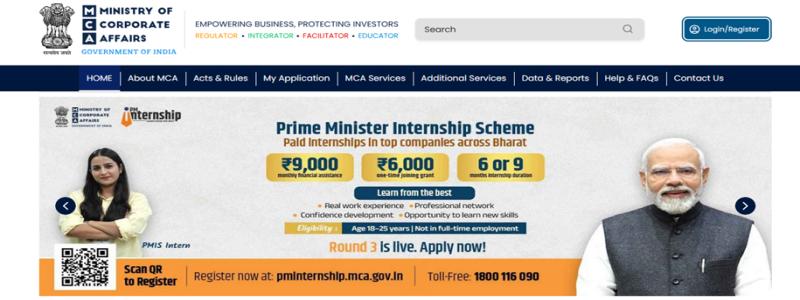
Click on “My Application”:
On the homepage, select the “My Application” option.
3->
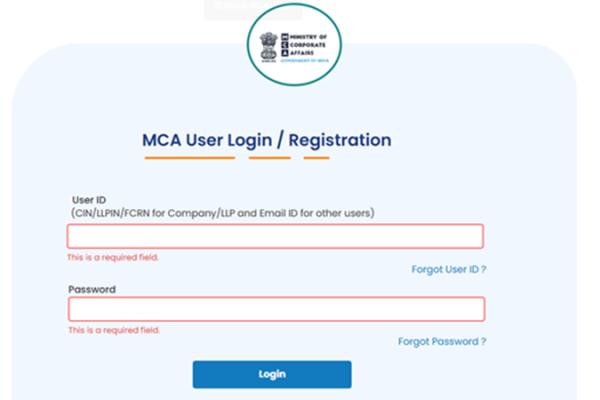
Click on “Register”:
Choose the “Register” option to begin account creation.
4->
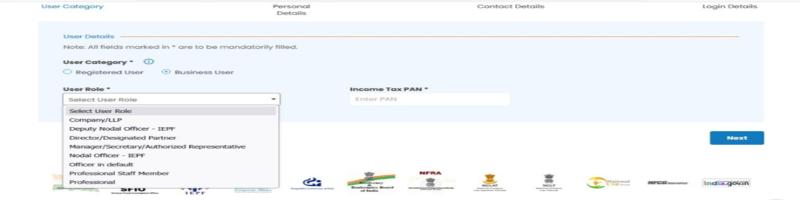
Select User Type:
- Select “Business User”
- Choose your role:
- Director
- Manager/Secretary
- Professional
- Authorised Representative
👉 If you are a director, select “Director”.
5->
Enter Basic Details:
Fill in the required information:
- PAN (must match official records)
- Full name
- Date of birth
- Residential address (as per Aadhaar)
- Email ID
- Mobile number
6->
Create User ID & Password:
- Choose a unique User ID
- Set a strong password
✔️ Tip: Use a mix of letters, numbers, and special characters for better security.
7->
Submit the Form:
Click on “Submit” after entering all details.
8->
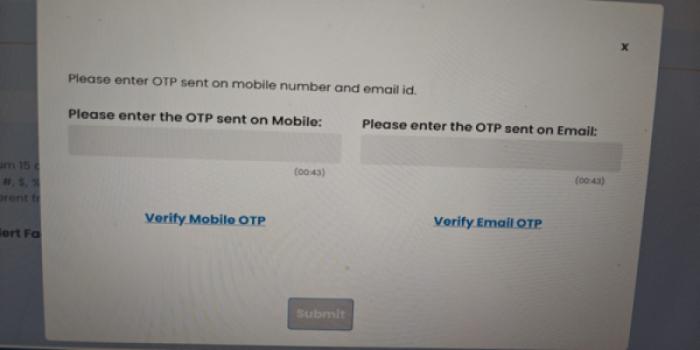
Verify OTP:
- Enter the OTP sent to your registered mobile number and email ID
- Complete verification
9->
Account Successfully Created:
Once verified, your MCA account will be activated, and you’ll receive a confirmation.
Common Mistakes to Avoid:
Avoid these common errors:
- Incorrect PAN details
- Invalid email ID
- Weak password
- Selecting the wrong user role
Skipping OTP verification
Pro Tips for Smooth Registration:
- Use a personal and active email ID
- Double-check PAN details before submission
- Save your login credentials securely
- Use a strong password
- Keep your mobile number active for OTP verification
Benefits of MCA Account for Directors:
- Easy access to MCA services
- Track filings and compliance status
- Secure communication with authorities
- Faster processing of applications
- Better control over company records
Frequently Asked Questions (FAQs):
Yes, it is required to access MCA services and perform filings.
Yes, DSC is not required for account creation.
It usually takes just a few minutes.
No, one individual should maintain only one account.
You can reset it using the “Forgot Password” option on the portal.
Conclusion:
Creating an MCA account is the first and most important step in starting your journey as a company director. The process is simple, quick, and essential for accessing MCA services.
Make sure your details are accurate, complete the OTP verification, and keep your login credentials safe. Once your account is ready, you can move forward with DIN application, DSC registration, and company incorporation without any hassle.